AI Automation for Small Business: Cut Operational Costs Without Cutting Corners
Running a small business means every dollar counts. AI automation is no longer reserved for enterprise giants — today's tools are affordable, accessible, and capable of slashing your operational costs by up to 40%. Here's exactly how to make it work for your business.
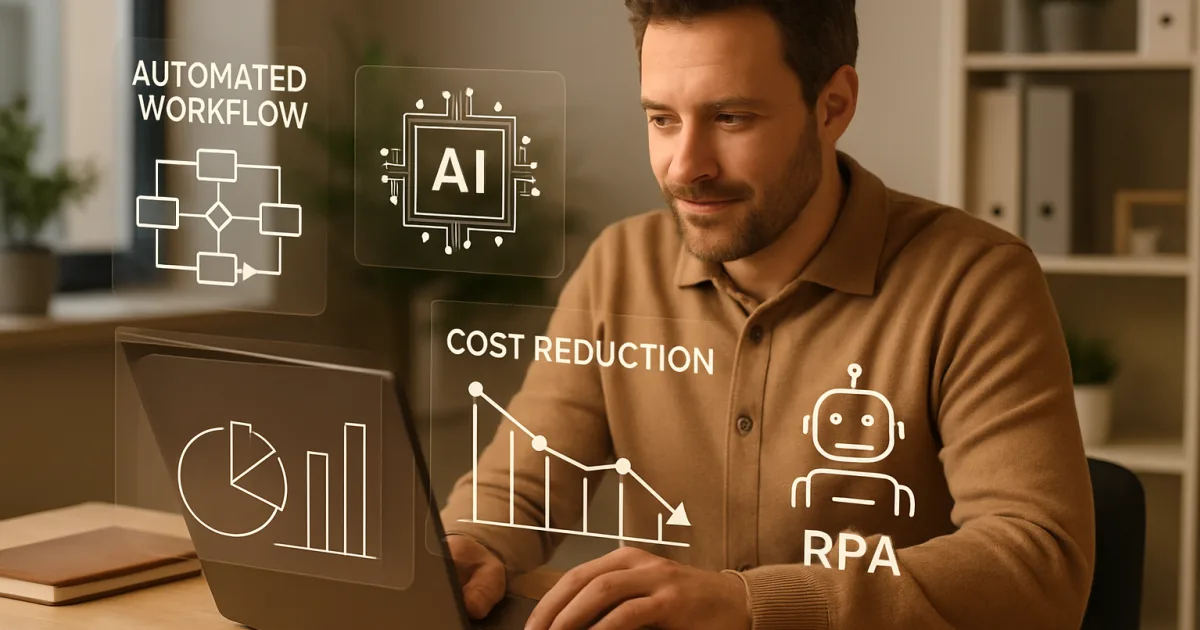
Small business owners are finding that AI-powered automation is no longer just for large corporations with deep pockets. The tools are here, the costs have dropped, and the results are showing up in real businesses right now.
What Business Automation Actually Means for Small Businesses
Business automation means using software to handle tasks that a person would otherwise do by hand. Think of it as setting up a system that runs in the background — answering customer questions, sending follow-up emails, scheduling appointments, or organizing data — without anyone needing to click a button each time. For a small business owner wearing five different hats, that kind of relief matters.
The confusion usually comes from the word "AI." A lot of people picture robots or science fiction, but for most small businesses, AI automation looks like a chatbot that answers common customer questions at 2 a.m., or a system that automatically routes a customer complaint to the right team member. It's practical. It's specific. And it works on a budget that doesn't require a venture capital check.
The Real Costs of Doing Everything Manually
Manual work is expensive in ways that don't always show up on a spreadsheet. When your front desk person spends two hours each morning sorting emails that could be filtered automatically, that's two hours of salary going toward something a system could handle in seconds. Multiply that across a week, a month, a year — and the number gets uncomfortable fast.
According to McKinsey's research on technology trends, roughly 60% of occupations have at least 30% of their tasks that could be automated with current technology. That's not a prediction about the future. That's a description of what's possible right now, with tools that already exist. For a small business, that 30% can be the difference between staying afloat and actually growing.
Errors are the other hidden cost. A human entering data manually makes mistakes — wrong customer address, wrong invoice amount, missed follow-up. Each mistake costs time to fix, and sometimes it costs a customer relationship. Automated systems don't get tired on a Friday afternoon.
Which Business Tasks Should You Automate First
Start with the tasks that repeat the most and require the least judgment. Appointment reminders, invoice generation, order confirmations, password reset emails — these are perfect candidates. They happen constantly, they follow a predictable pattern, and getting them wrong creates friction with customers.
Customer follow-up is another early win. If someone fills out a contact form on your website and nobody responds for 48 hours, you've probably lost that lead. An automated system can send a personalized acknowledgment within 60 seconds, set a task for a team member, and add the contact to your CRM — all before the person has refreshed their inbox. Our automation solutions are built around exactly this kind of high-frequency, high-stakes task.
Social media scheduling, review request emails after a purchase, and weekly reporting are also strong starting points. These tasks eat time every single week without generating new ideas or new revenue. Hand them off to automation, and you get that time back for work that actually requires your brain.
How AI Fits Into Automation (and Where It Adds the Most Value)
Standard automation follows rules: if X happens, do Y. AI goes further. It can read a customer message, figure out whether the person is frustrated or just asking a question, and respond differently in each case. That level of nuance used to require a human. Now it doesn't — at least not for the first layer of response.
Gartner's AI research has consistently shown that businesses using AI-driven automation see measurable improvements in response times and customer satisfaction scores. For small businesses, the most practical application is customer-facing communication — chat, email, and even voice — where speed and consistency matter most.
AI also gets better over time. A rule-based automation system does the same thing on day one and day one thousand. An AI system learns from patterns, gets better at predicting what a customer needs, and can flag when something unusual is happening that a human should look at. To understand how this works in practice, take a look at how we implement AI for businesses like yours.
Common Fears About Automation (and What's Actually True)
The most common worry is that automation will make a business feel cold or impersonal. That's a fair concern. Nobody wants to receive a robotic form letter when they're frustrated. But well-designed automation is actually more consistent than human communication — it doesn't forget to say thank you, doesn't skip a step when it's busy, and doesn't have an off day where it's short with a customer.
The second worry is cost. A lot of business owners assume automation is something only big companies can afford. That used to be true. The market has shifted significantly, and there are now options for businesses doing $200,000 a year in revenue, not just those doing $20 million. Check out our pricing page to see what options look like for businesses at different stages.
The third worry is complexity — specifically, "I'm not technical, I can't do this." You don't have to be. The setup involves answering questions about your business and your biggest time drains. Someone else handles the technical configuration. Your job is to describe the problem clearly.
Real Examples of Automation Working for Small Businesses
A local HVAC company used automated scheduling and follow-up emails to cut their no-show rate by 40%. Before automation, someone called each customer the day before an appointment. Now the system sends a reminder text and email automatically, and customers can confirm with one click. The owner didn't hire a new person to make those calls — the system just started doing it.
A boutique e-commerce store automated their abandoned cart emails and saw a 22% recovery rate on carts that would have otherwise been lost. Three emails, sent automatically over 48 hours, each with a slightly different message. The store owner set it up once and it runs every day. You can read more examples like these in our client success stories.
A two-person accounting firm automated their client onboarding process — intake forms, document requests, welcome emails, and initial scheduling — and saved roughly eight hours per new client. That's time that went back into billable work. The clients actually rated the onboarding experience higher after automation than before, because nothing got dropped.
How to Choose the Right Automation Tools and Partners
The tool matters less than the fit. A powerful platform that doesn't connect to your existing software creates more problems than it solves. Before you look at any tool, write down: what software do you already use, what tasks take the most time, and what does a bad customer experience look like in your business. Those answers tell you what to look for.
Ask any vendor or partner three questions: What does setup look like, and who does the work? What happens when something breaks? Can you show me a business similar to mine that uses this? If they can't answer all three clearly, that's information.
Forrester's automation research points out that successful automation implementations almost always involve a clear owner inside the business — someone responsible for monitoring the system and updating it as the business changes. You don't need a full-time tech person for this. You need someone who checks in on it monthly and flags when something isn't working right. Our team and approach are built around making sure that handoff is clear from day one.
Building an Automation Strategy That Grows With You
Start small and specific. Pick one problem. Automate that. Measure the result. Then pick the next one. Businesses that try to automate everything at once usually end up with a tangle of systems that don't talk to each other and a team that doesn't trust any of them.
The goal isn't to remove people from your business. The goal is to give your people better work to do. When your best employee isn't spending three hours a week on data entry, they can spend those hours on clients, on sales, on problems that actually need a human to solve. That's what a good automation strategy buys you — not fewer people, but people doing more valuable things.
Review your automation setup at least twice a year. Your business changes. New services, new customer types, new software — all of it can affect whether your automations still make sense. Build in a regular check-in so nothing runs unattended for years without anyone looking at whether it's still working the way it should. Visit our blog for ongoing tips on keeping your systems sharp as your business grows.
Frequently Asked Questions
How much does business automation cost for a small business?
Costs vary widely depending on what you're automating and which tools you use. Basic automation for things like email follow-ups or appointment reminders can start at $50 to $200 per month. More advanced AI-driven systems that handle customer communication, data management, and reporting typically run higher, but the time savings usually offset the cost within the first few months. See our pricing options for a breakdown by business size and need.
Do I need technical skills to use AI automation tools?
No. Most modern automation platforms are designed for people who run businesses, not people who write code. Setup usually involves describing your workflow in plain language and answering questions about your process. A good implementation partner handles the technical configuration and trains your team on how to use the system day to day.
Will automation make my business feel less personal to customers?
Not if it's set up thoughtfully. Automated messages can use a customer's name, reference their specific order or appointment, and match the tone your business already uses. The key is making sure the automation handles routine communication — confirmations, reminders, follow-ups — while your team handles conversations that need genuine problem-solving or relationship-building.
What's the difference between regular automation and AI automation?
Regular automation follows fixed rules — if a customer submits a form, send an email. AI automation can read context and make decisions based on patterns. An AI system might detect that a customer's message sounds frustrated and route it differently than a routine question. For small businesses, AI automation is most valuable in customer communication, where context changes the right response.
How long does it take to see results from automation?
For straightforward automations like appointment reminders or invoice emails, you'll see the time savings immediately — from the first week. More complex automations that involve AI learning from customer behavior can take four to eight weeks before you see measurable performance improvements. Either way, most businesses see a positive return within the first quarter. Our case studies document real timelines from real businesses.
What happens if the automation makes a mistake?
Every automation system should have a monitoring process and a way to catch errors before they affect customers. Good systems log every action so you can review what happened when something goes wrong. The practical answer is to start automations on lower-stakes tasks, check the logs regularly in the first few weeks, and build in a human review step for anything that involves money or sensitive customer information.
Can automation work with the software I already use?
In most cases, yes. The most common small business tools — QuickBooks, Google Workspace, Shopify, Square, Mailchimp, most CRMs — connect to automation platforms through standard integrations. Before committing to any automation solution, share a list of your current software with the vendor and ask them to confirm which tools connect directly and which might need a workaround.
Getting Started
The best time to start automating was six months ago. The second best time is now. Pick the task in your business that eats the most hours for the least reward, and start there. You don't need a full plan before you take the first step — you just need to identify the problem clearly. If you'd like help figuring out where automation makes the most sense for your specific business, schedule a free consultation with our team. We'll look at your current workflow, identify your highest-impact opportunities, and give you a clear picture of what's possible — no pressure, no jargon. Or if you want to explore on your own first, browse our full range of automation solutions to see what's available for businesses at your stage.
Brandon Hufstetler
Principal and CEO of Autonomous Retail Technology
Brandon Hufstetler is an AI strategist and executive dedicated to helping businesses connect technology, data, and strategy to achieve real growth in the modern business era. As the Principal and CEO of Autonomous Retail Technology, he leads initiatives that use AI to streamline operations, enhance decision-making, and scale business impact. With nearly 25 years of experience spanning startups, scaling ventures, and large enterprises, Brandon has built a reputation for bridging the gap between innovation and execution. His approach blends business acumen with deep technical insight, enabling organizations to embrace AI in ways that are both responsible and transformative. Before founding Autonomous Retail Technology, Brandon spent more than a decade in senior leadership roles overseeing digital transformation, business development, and enterprise analytics. He is passionate about empowering leaders to navigate the evolving AI landscape with confidence, creativity, and measurable outcomes.
Ready to Automate Your Business?
Let's discuss how automation can transform your operations.
Book a Free Consultation