How Small Businesses Can Slash Operational Costs with Autonomous Technology
Rising overhead, manual processes, and staffing costs are squeezing small business margins like never before. Autonomous technology is leveling the playing field — giving small businesses the same operational firepower as enterprise giants at a fraction of the cost. Here's exactly how to put it to work for you.
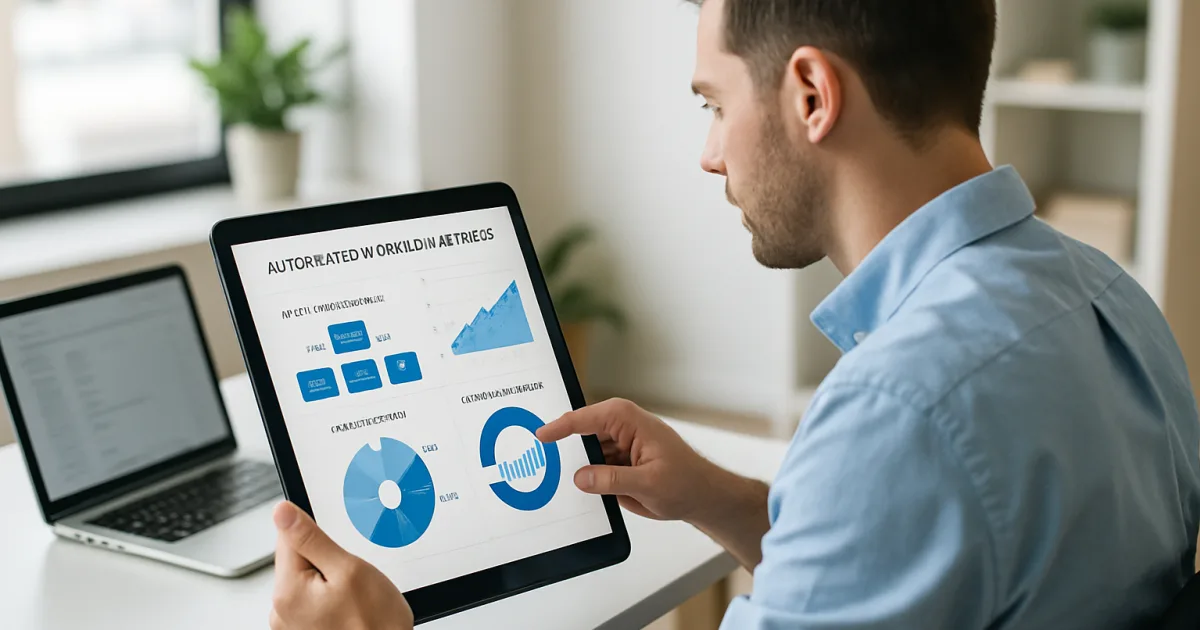
Small business owners are discovering that AI-powered automation isn't just for large corporations anymore. The tools are more affordable, more accessible, and more practical than most people realize — and the businesses adopting them now are pulling ahead fast.
What AI Automation Actually Means for Small Businesses
A lot of small business owners hear "AI automation" and picture expensive software teams, complex integrations, and months of setup. That picture is outdated. Today's automation tools can handle repetitive tasks — answering customer questions, scheduling appointments, sending follow-up emails, processing invoices — without requiring a technical background to set them up. The gap between what a solo operator can accomplish and what a 10-person team used to be needed for is closing quickly.
Think about a plumbing company that gets 40 phone calls a day. Half of those calls are people asking about pricing, availability, or service areas. An AI-powered chat tool can handle every one of those routine questions instantly, 24 hours a day, while the owner focuses on jobs that actually need a human. That's not a hypothetical — it's what businesses using our automation solutions are doing right now. The time savings alone can add up to 10 or more hours every week.
The Real Cost of Doing Everything Manually
Manual work has a price tag that most small business owners underestimate. Every hour you spend copying data between systems, chasing unpaid invoices, or answering the same customer question for the hundredth time is an hour you're not spending on growth. According to McKinsey's research on workplace automation, workers spend roughly 60% of their time on routine tasks that technology could handle. For a small business, that inefficiency hits harder because there are fewer people to absorb it.
The hidden costs go beyond time. Manual processes create errors — a wrong address entered, a payment missed, a follow-up that never got sent. Each mistake costs money to fix and sometimes costs you a customer. Businesses that automate these workflows don't just save time; they reduce the error rate that comes with humans doing repetitive work all day. Consistency is one of the biggest advantages automation brings to a small operation.
Which Tasks Are the Best Candidates for Automation
Not every task should be automated. The best candidates share a few characteristics: they happen frequently, they follow a predictable pattern, and they don't require human judgment or relationship-building. Lead follow-up emails fit that description perfectly. So does appointment reminders, invoice generation, customer onboarding sequences, and social media posting schedules. These are the tasks that pile up and create bottlenecks when business gets busy.
Customer service is another area where automation delivers fast, measurable results. A well-built AI chat assistant can resolve common questions, collect customer information, and route complex issues to the right person — all without making anyone wait on hold. Salesforce data shows that businesses using AI in customer service see response times drop by as much as 80%. For a small business competing against larger companies, that kind of speed is a real differentiator.
Inventory management, payroll reminders, and report generation are also strong candidates. The pattern is the same: if you're doing the same task on a schedule, or triggering the same action every time a specific thing happens, automation can take it over. Our AI implementation process starts by mapping exactly these kinds of tasks in your current workflow before recommending any tools.
Common Fears — and Why Most of Them Don't Hold Up
"My business is too small for this." "My customers want to talk to a real person." "I don't have the budget." These concerns come up constantly, and they're worth addressing directly. The size concern is the easiest to dismiss — businesses with three employees use automation tools effectively every day. A solo freelancer can use automated invoicing and payment reminders without any staff at all.
The concern about customers wanting human contact is more nuanced, but the data doesn't support blanket skepticism. Customers want fast, accurate responses. When a bot answers a routine question in 10 seconds at 11 PM, most customers prefer that to waiting until morning for a human. The key is designing automation to handle the routine interactions while making it easy for customers to reach a human when the situation calls for it. That's a design decision, not a limitation of the technology.
Budget is a legitimate concern, but the math usually works out quickly. If automation saves you five hours a week and your time is worth $50 an hour, that's $1,000 a month in recovered time. Most small business automation tools cost a fraction of that. See our pricing options to get a clear sense of what implementation actually costs for a business your size.
How to Start Without Getting Overwhelmed
The biggest mistake businesses make when starting with automation is trying to do too much at once. Picking one painful, repetitive task and automating just that one thing first is a smarter approach. You learn the tools, you see the results, and you build confidence before expanding. A bakery owner who automates their online order confirmation emails has taken a real first step, even if it feels small.
Start by listing every task you or your team does on repeat. Mark the ones that feel like pure administration — no creativity, no relationship-building, just execution. Those are your starting points. From there, you match the task to a tool, set it up, test it, and measure the time it saves. Our client success stories show exactly how other small businesses have gone through this process and what they gained on the other side.
The technical setup is usually simpler than people expect. Many modern automation platforms use drag-and-drop interfaces and pre-built templates. You don't write code. You describe what you want to happen — "when a customer fills out this form, send them this email and add them to this spreadsheet" — and the platform handles the rest. Harvard Business Review notes that the businesses seeing the best results from AI tools are those that start small, measure outcomes, and expand deliberately.
What Results Look Like in the First 90 Days
Ninety days is enough time to see real, measurable change from automation. Businesses that automate lead follow-up typically see response times drop from hours or days to minutes. That speed increase alone tends to improve conversion rates — leads that get a response within five minutes are far more likely to become customers than those who wait. The numbers show up in your pipeline before the quarter is over.
Customer satisfaction scores tend to improve too, often because customers stop waiting. Staff workload drops in the areas where automation takes over, which usually means fewer errors and less burnout. The business owner typically gets back meaningful chunks of their week. These aren't abstract benefits — they're outcomes you can track with metrics you probably already have: response time, close rate, hours worked, error count. Our team walks through exactly these benchmarks when we set up a consultation with a new client.
Frequently Asked Questions
Do I need technical skills to use AI automation tools?
Most modern automation platforms are built for non-technical users. They use visual editors and pre-made templates, so you're configuring a workflow rather than writing code. If you can use a spreadsheet and send an email, you have enough technical ability to get started with most tools available today.
How much does it cost to automate my small business?
Costs vary depending on the tools you use and how much of your operation you automate. Many small businesses start with solutions that cost between $50 and $300 per month. Visit our pricing page to see options that fit different business sizes and budgets. The return on that investment is usually visible within the first 30 to 60 days.
Will automation make my business feel less personal to customers?
Automation handles routine interactions — confirmations, reminders, answers to common questions — not the moments that require human connection. When it's set up well, customers get faster responses and more consistent service. The personal touch is preserved for the conversations that actually need it.
What tasks should I automate first?
Start with tasks that are repetitive, follow a consistent pattern, and don't require judgment calls. Lead follow-up emails, appointment reminders, invoice sending, and customer FAQ responses are common starting points. Pick the one that takes the most of your time and automate that first before expanding.
How long does it take to set up automation for a small business?
A single automated workflow — like a lead follow-up sequence — can be set up in a few hours using modern tools. A broader automation setup covering multiple areas of your business typically takes one to four weeks depending on complexity. Our implementation process is designed to get your first workflows live as fast as possible.
Can automation work with the software I'm already using?
In most cases, yes. The leading automation platforms connect with hundreds of common business tools including QuickBooks, Gmail, Google Calendar, Shopify, Mailchimp, and most CRMs. If you're already using standard small business software, there's a good chance a ready-made connection already exists.
What if an automated system makes a mistake?
Automation tools produce logs of every action they take, which makes it straightforward to spot and fix errors quickly. Most workflows also include conditions and checkpoints that catch problems before they reach a customer. Starting with lower-stakes automations first gives you time to build confidence in the system before applying it to critical processes.
Getting Started
The businesses that benefit most from AI automation aren't the ones with the biggest budgets or the largest teams. They're the ones that pick a starting point and act on it. If you're ready to stop spending your best hours on tasks a system could handle, schedule a free consultation with our team. We'll look at your current workflow, identify where automation delivers the fastest return, and show you exactly what the setup looks like. You can also explore our full range of automation solutions to get a sense of what's possible before we talk.
Brandon Hufstetler
Principal and CEO of Autonomous Retail Technology
Brandon Hufstetler is an AI strategist and executive dedicated to helping businesses connect technology, data, and strategy to achieve real growth in the modern business era. As the Principal and CEO of Autonomous Retail Technology, he leads initiatives that use AI to streamline operations, enhance decision-making, and scale business impact. With nearly 25 years of experience spanning startups, scaling ventures, and large enterprises, Brandon has built a reputation for bridging the gap between innovation and execution. His approach blends business acumen with deep technical insight, enabling organizations to embrace AI in ways that are both responsible and transformative. Before founding Autonomous Retail Technology, Brandon spent more than a decade in senior leadership roles overseeing digital transformation, business development, and enterprise analytics. He is passionate about empowering leaders to navigate the evolving AI landscape with confidence, creativity, and measurable outcomes.
Ready to Automate Your Business?
Let's discuss how automation can transform your operations.
Book a Free Consultation