How Small Businesses Can Scale Without Hiring: The Autonomous Technology Playbook
Hiring more people isn't the only way to grow. Learn how forward-thinking small business owners are leveraging autonomous technology to multiply their output, eliminate bottlenecks, and scale sustainably — without the overhead of a larger team.
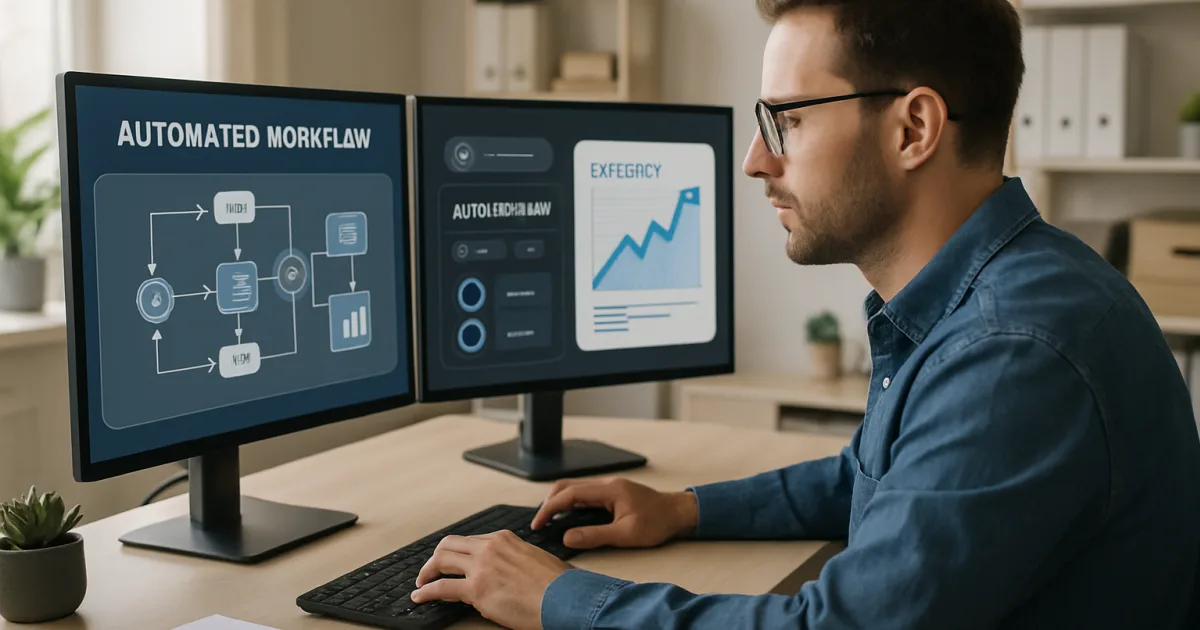
Small business owners are discovering that AI-powered automation is no longer reserved for large corporations with massive IT budgets. The tools available today can handle repetitive tasks, answer customer questions, and manage workflows—giving you back hours every week to focus on growing your business.
What Business Automation Actually Means for Small Businesses
Business automation means using software to handle tasks that would otherwise require a person sitting at a computer, clicking through the same steps day after day. Think of the time your team spends copying data from one spreadsheet to another, sending follow-up emails, or manually scheduling appointments. These tasks are necessary, but they don't require human judgment—and that's exactly what automation handles well.
A bakery owner in Austin, for example, might spend two hours every Monday morning updating inventory counts, sending reorder emails to suppliers, and posting that week's specials to social media. With the right automation setup, all three of those tasks can run automatically before she even walks through the door. That's not a small win—over a year, it adds up to more than 100 hours she can spend on baking, customer relationships, or simply taking a day off.
The misconception many small business owners have is that automation requires a dedicated IT team or a six-figure software budget. That used to be true. Today, modern automation solutions are built specifically for businesses with 5 to 50 employees, and many start at a price point that pays for itself within the first month.
The Real Cost of Doing Everything Manually
Manual processes cost more than most business owners realize. According to research from McKinsey & Company, roughly 60% of all occupations have at least 30% of their activities that could be automated with existing technology. For small businesses, that translates directly into payroll dollars spent on work that software could handle for a fraction of the cost.
Beyond the dollar figure, there's the error rate. Humans make mistakes when they're tired, rushed, or bored—and data entry, invoice processing, and appointment scheduling are exactly the kinds of repetitive tasks where errors creep in. A single billing mistake can cost you a client. A missed follow-up email can mean a lost sale. Automation doesn't get tired, and it doesn't skip steps.
There's also the hidden cost of your own time. If you're the owner and you're still manually approving expense reports or copying customer information from your website form into your CRM, you're spending your highest-value hours on your lowest-value work. That's the trade-off manual processes force on small business owners every single day.
Five Processes Small Businesses Should Automate First
Not every task is worth automating right away. The best starting points are processes that happen frequently, follow consistent rules, and take time away from work that actually requires a human. Here are the five areas where small businesses see the fastest return.
Customer follow-up emails are the most common quick win. When someone fills out a contact form, requests a quote, or makes a purchase, an automated email sequence can respond within seconds, nurture the lead, and prompt a review—all without anyone on your team lifting a finger. Appointment scheduling is another area where automation pays off fast; tools that let customers book their own time slots eliminate the back-and-forth entirely.
Invoice generation and payment reminders are tasks most small business owners dread. Automating them means invoices go out the moment a job is marked complete, and reminders follow a set schedule until the invoice is paid. Social media posting can be batched and scheduled weeks in advance. Finally, data entry between systems—moving order information from your website to your accounting software, for instance—is one of the highest-error, lowest-value tasks automation eliminates completely.
How AI Makes Automation Smarter Than Simple Rules
Traditional automation works on fixed rules: if X happens, do Y. That works fine for predictable processes, but it falls apart the moment something unexpected happens. AI-powered automation can handle exceptions, interpret context, and make decisions that would have required a human just a few years ago.
Consider customer service. A rule-based chatbot can answer "What are your hours?" but it can't handle "I ordered the wrong size and I need to exchange it before my event this Saturday." An AI-powered system can understand the urgency, check inventory, initiate an exchange, and escalate to a human only if inventory isn't available. That's a real conversation that solves a real problem—without a customer service rep involved at every step.
This is why understanding how AI implementation actually works matters before you commit to any platform. The difference between basic automation and AI-driven automation isn't just a feature list—it's the difference between software that handles the easy cases and software that handles the hard ones too. Gartner projects that by 2026, more than 80% of enterprises will have used generative AI in some form, and small businesses that start building these capabilities now will be better positioned than competitors who wait.
What Results Small Businesses Are Actually Seeing
The best way to cut through the hype is to look at what's actually happening for businesses that have made the shift. A landscaping company with 12 employees automated its quote follow-up process and saw its conversion rate jump from 22% to 34% in three months—not because the quotes changed, but because follow-ups were now consistent and timely. A boutique accounting firm cut its invoice processing time by 70% after connecting its project management tool to its billing software.
These aren't outliers. Real success stories from businesses like yours show a consistent pattern: the biggest gains come in the first 90 days, and they compound over time as teams learn to apply automation to more processes. The businesses that struggle are usually the ones that try to automate everything at once instead of starting with one clear pain point and expanding from there.
The measurable outcomes vary by industry, but the categories are consistent: time saved per week, error rate reduction, and revenue impact from faster response times and better follow-through. Those three metrics, tracked honestly, tell you whether your automation investment is working.
Common Mistakes Small Businesses Make When Starting With Automation
The first mistake is trying to automate a broken process. Automation makes a process faster—it doesn't make a flawed process better. If your current customer onboarding is confusing and inconsistent, automating it will just deliver confusion faster. Fix the process first, then automate it.
The second mistake is choosing tools without thinking about integration. A great email automation tool that doesn't connect to your CRM creates a new manual step instead of eliminating one. Before you sign up for anything, map out the tools you already use and confirm the new tool works with them. Most reputable platforms offer integration with common small business software, but it's worth verifying before you commit.
The third—and most expensive—mistake is underestimating the importance of setup. Many small business owners buy a tool, spend 20 minutes clicking through it, don't see immediate results, and abandon it. Automation requires upfront configuration. That investment, done properly, is what creates the ongoing return. Harvard Business Review has noted that successful AI adoption is as much about implementation planning as it is about the technology itself.
How to Choose the Right Automation Platform for Your Business
The right platform depends on three things: what you're trying to automate, what tools you already use, and how much technical setup you're willing to handle yourself. There's no universal best option. A retail business with a high volume of customer service inquiries has different needs than a B2B service firm that wants to automate its proposal and contract process.
Look for platforms that offer pre-built templates for common small business workflows. These reduce setup time dramatically and give you a working example you can modify rather than building from scratch. Also look at the quality of customer support—when something breaks or doesn't behave as expected, you need to be able to get help quickly without submitting a ticket and waiting three days for a response.
Pricing matters too, and it's worth understanding exactly what you're paying for. Transparent pricing structures make it easy to calculate your return on investment before you commit. Be cautious of platforms that charge per automation run, per user, and per integration simultaneously—those costs can add up faster than the savings your automation generates.
Frequently Asked Questions
Do I need technical skills to set up business automation?
Most modern automation platforms are designed for non-technical users and use visual drag-and-drop builders rather than code. You don't need a developer to get started. That said, more complex automations—like those involving multiple systems or custom logic—may benefit from professional setup, which is something our team at Autonomous Technology walks you through step by step.
How long does it take to see results from automation?
Most small businesses see measurable time savings within the first two to four weeks of a properly configured automation. The exact timeline depends on the complexity of what you're automating and how frequently that process runs. High-volume processes like daily email follow-ups or invoice generation tend to show returns almost immediately.
Will automation replace my employees?
Automation handles repetitive, rule-based tasks—not the judgment, creativity, and relationship-building that make your team valuable. Most small businesses that adopt automation don't reduce headcount; they redirect their people toward higher-impact work. Your customer service rep stops spending half their day on data entry and spends more time actually solving customer problems.
Is my data safe when I use automation tools?
Reputable automation platforms use encryption in transit and at rest, and most comply with standards like SOC 2, GDPR, and CCPA depending on where your customers are located. Before signing up for any tool, review their security documentation and confirm they don't sell your data to third parties. It's also worth checking whether they offer role-based access controls so only authorized team members can view sensitive workflows.
How much does business automation cost for a small business?
Costs vary widely depending on the platform and the number of automations you need. Entry-level plans for small businesses often start between $50 and $200 per month. More complete setups with AI features, multiple integrations, and dedicated support typically run higher. The key question isn't what the tool costs—it's what your time costs, and whether the automation saves more than it spends.
What's the difference between automation and AI?
Traditional automation follows fixed rules: if this happens, do that. AI adds the ability to interpret variable inputs, recognize patterns, and handle situations that don't fit a preset rule. In practice, many tools today combine both—fixed workflows for predictable steps and AI decision-making for the exceptions. Our automation solutions are built to use both where each one makes sense.
Where should I start if I've never automated anything before?
Start with the single process that takes the most time and follows the most consistent steps. For most small businesses, that's either customer follow-up emails or appointment scheduling. Pick one, get it running well, measure the time you save, and then expand to the next process. Trying to automate too many things at once usually leads to nothing working well.
Getting Started With Automation
The gap between knowing automation could help your business and actually having it in place usually comes down to one thing: not knowing where to begin. That's exactly what we help with. Whether you want to explore what's possible, understand what a setup would cost, or see how other businesses in your industry have approached this, we're here to give you straight answers. Schedule a consultation with our team and we'll map out the highest-impact starting point for your specific business—no pressure, no jargon, just a clear picture of what automation can do for you and what it actually takes to get there. You can also browse our case studies to see the results other small businesses have achieved before you commit to anything.
Brandon Hufstetler
Principal and CEO of Autonomous Retail Technology
Brandon Hufstetler is an AI strategist and executive dedicated to helping businesses connect technology, data, and strategy to achieve real growth in the modern business era. As the Principal and CEO of Autonomous Retail Technology, he leads initiatives that use AI to streamline operations, enhance decision-making, and scale business impact. With nearly 25 years of experience spanning startups, scaling ventures, and large enterprises, Brandon has built a reputation for bridging the gap between innovation and execution. His approach blends business acumen with deep technical insight, enabling organizations to embrace AI in ways that are both responsible and transformative. Before founding Autonomous Retail Technology, Brandon spent more than a decade in senior leadership roles overseeing digital transformation, business development, and enterprise analytics. He is passionate about empowering leaders to navigate the evolving AI landscape with confidence, creativity, and measurable outcomes.
Ready to Automate Your Business?
Let's discuss how automation can transform your operations.
Book a Free Consultation