Turnkey AI Solutions: The Fastest Way to Transform Your Customer Service Without the Technical Headaches
Struggling with long response times, overwhelmed support agents, and rising customer churn? Turnkey AI solutions offer a ready-to-deploy path to smarter, faster, and more scalable customer service — no technical expertise required. Learn how autonomous technology is redefining the support experience in 2024 and beyond.
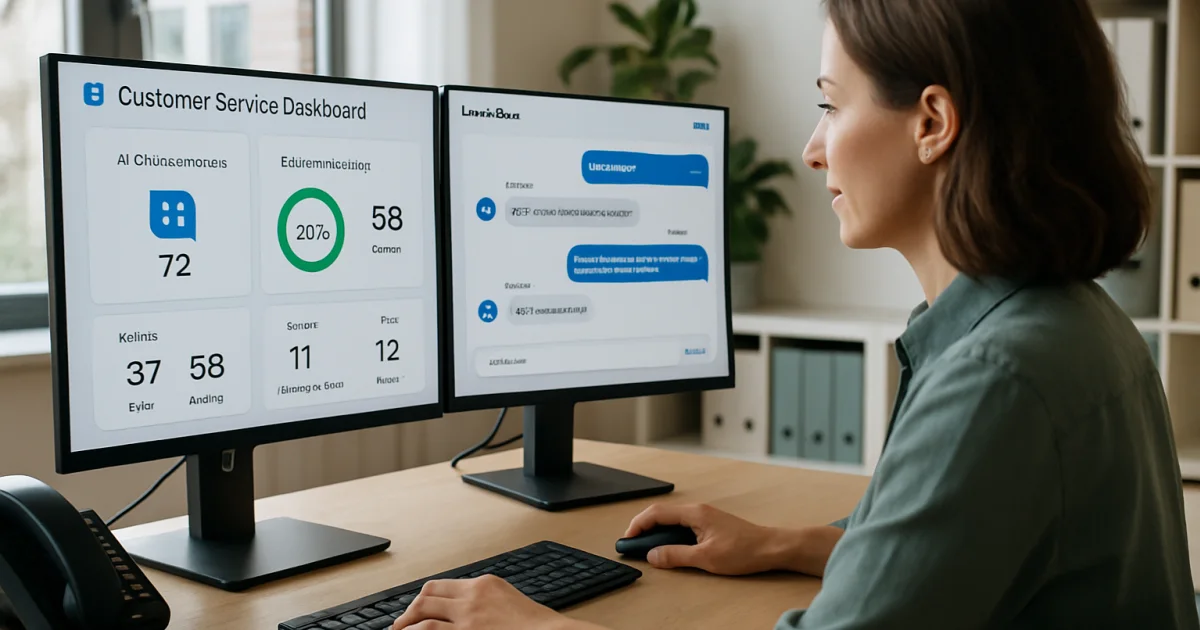
Artificial intelligence is no longer something only large corporations can afford or use. Small businesses are finding real, practical ways to put AI to work right now — cutting costs, saving time, and getting more done with the same team.
What AI Automation Actually Means for Small Businesses
Most small business owners hear "AI automation" and picture expensive software, complicated setups, and a team of IT specialists. The reality is much simpler. AI automation means using software to handle repetitive tasks — things like answering customer questions, scheduling appointments, sorting emails, or generating reports — so your team can focus on work that actually needs a human touch. Think of a local dental office that used to spend two hours a day confirming appointments by phone. With an automated system, that same office now handles confirmations in minutes, without anyone picking up the phone.
The shift happening right now is not about replacing people. It is about removing the low-value tasks that eat up time every single day. A small retail shop owner spending four hours a week manually updating inventory can get those four hours back. That is 200 hours a year — time that could go toward serving customers, developing new products, or simply taking a real day off. Our automation solutions are built specifically for businesses at this stage of growth.
The Real Costs of Doing Everything Manually
Manual processes cost more than most owners realize. According to McKinsey's research on automation potential, roughly 60% of all occupations have at least 30% of their activities that could be automated with current technology. For a small business with five employees, that number translates directly into wasted payroll hours every single week. Those hours add up fast.
Beyond payroll, manual work creates errors. A customer order entered by hand gets typos. An invoice generated from a spreadsheet gets a wrong total. Each mistake costs time to fix, and sometimes costs a customer relationship. Businesses running on manual systems also struggle to scale — when you get busy, the bottleneck gets worse, not better. That is the ceiling most small businesses hit, and it is entirely avoidable.
There is also the hidden cost of slow response times. Customers today expect answers quickly. A business that responds to website inquiries in 24 hours loses ground to one that responds in 2 minutes. Automated systems do not sleep, do not take lunch breaks, and do not have off days. That consistency is hard to put a price on, but the impact on customer retention is real.
Six Areas Where AI Delivers Results Fast
Not every AI application is equal. Some take months to show results. Others start paying off within the first week. The areas below tend to show the fastest, most measurable returns for small businesses.
Customer communication is usually the first place to start. AI chat tools can handle common questions — store hours, pricing, order status, return policies — around the clock without any staff involvement. One e-commerce business using this approach cut their customer service email volume by 40% in the first month. That meant fewer interruptions for the owner and faster answers for customers.
Appointment scheduling is another quick win. Automated booking systems let customers pick their own time slots, send reminders automatically, and reschedule without calling in. Service businesses like salons, consultants, and contractors see some of the highest return on investment here because no-shows drop significantly when reminders go out automatically.
Lead follow-up is where many small businesses lose money without knowing it. A potential customer fills out a contact form, but nobody follows up for two days. By then, they have already hired someone else. Automated follow-up sequences send a response instantly, then follow up again at set intervals, so no lead goes cold by accident. You can learn more about how this works on our AI implementation page.
Invoice and payment processing can also run on autopilot. Automated billing systems send invoices on schedule, send reminders for overdue accounts, and track payments without anyone logging into a spreadsheet. For service businesses billing monthly retainers, this alone can save several hours per week.
Social media and content scheduling is a time drain that automation handles well. Tools can schedule posts across platforms, recycle top-performing content, and even suggest posting times based on when your audience is most active. This does not replace thoughtful content creation, but it removes the daily manual effort of posting.
Reporting and analytics is the sixth area. Most small business owners make decisions based on gut feeling because pulling data manually is too time-consuming. Automated dashboards pull data from your sales system, website, and marketing tools into one place, updated in real time. Better information leads to better decisions — and faster ones.
What Small Businesses Are Actually Seeing in Practice
Numbers from case studies tell a clearer story than general claims. Forrester's analysis of automation among small and mid-sized businesses found that companies implementing automation in customer-facing processes reduced operational costs by an average of 20-30% within the first year. That is not a marginal improvement — that is real money back in the business.
A small accounting firm with three staff members automated their client onboarding process. Previously, bringing on a new client took about four hours of back-and-forth — collecting documents, sending contracts, setting up folders, and entering data. After automation, the same process takes under 30 minutes of actual staff time. The firm brought on 40% more clients that year without hiring anyone new. Stories like this show up across industries. You can read more on our success stories page.
A local landscaping company automated their quote follow-up process. Before, the owner would personally call every lead that requested a quote. After setting up an automated email sequence, leads received a follow-up within five minutes of requesting a quote, then two more follow-ups over the next week. Their close rate went from 22% to 31% in three months. That one change, with no additional ad spend, added significant revenue to their year.
Common Concerns Small Business Owners Have (And What the Reality Is)
"It is too expensive." This is the most common hesitation, and it made sense five years ago. Today, many automation tools cost less per month than a single hour of employee time. The math changes quickly when you account for how many hours the tool saves. Our pricing page lays out exactly what different levels of automation cost and what you can expect in return.
"My business is too small for this." There is no minimum size for automation. A solo consultant can automate their scheduling and invoice reminders. A three-person retail shop can automate inventory alerts and customer follow-ups. The tools scale down just as well as they scale up. If you have any repetitive task happening more than a few times a week, automation is worth looking at.
"I am not technical enough to set this up." This is the concern that stops the most people, and it is the one least grounded in reality. Modern automation platforms are built for non-technical users. Many setups involve clicking through menus and connecting existing tools — not writing code. Most businesses are fully set up within a few days, not weeks. Our team walks you through every step, as explained on our implementation page.
"What if something goes wrong?" Automated systems do make mistakes — but so do humans, and usually at higher rates. The difference is that an automated system makes the same mistake consistently, which means it is easy to catch and fix. Human errors in manual processes often go unnoticed for weeks. Good automation also includes monitoring and alerts so problems surface quickly.
How to Choose the Right Automation for Your Business
Start by listing every task your team does more than three times a week that follows the same steps each time. That list is your automation roadmap. The tasks that take the most time, cause the most errors, or happen at inconvenient hours are the best starting points. Do not try to automate everything at once — pick one process, implement it well, measure the results, then move to the next.
Next, look at where your business loses the most revenue from slow responses or dropped follow-ups. Lead follow-up and customer communication are almost always the highest-value places to start because they directly affect sales. Saving time on internal tasks is valuable, but winning more business with the same leads you already paid to generate is usually even more valuable.
Finally, think about integration. The best automation tools connect with the software you already use — your email platform, your CRM, your booking system, your accounting software. You should not have to rebuild your entire tech stack to add automation. Harvard Business Review's guide on AI for small businesses recommends a phased approach that builds on existing tools rather than replacing them all at once.
Frequently Asked Questions
How much does AI automation typically cost for a small business?
Costs vary widely depending on what you are automating and which tools you use. Many small businesses start with solutions in the $100–$500 per month range, which typically covers customer communication, scheduling, and basic follow-up automation. The return on that investment usually shows up within the first 30 to 90 days through time saved and leads that would otherwise have gone cold. Visit our pricing page for a detailed breakdown of what different packages include.
Do I need technical skills to implement AI automation?
No technical background is required for most modern automation platforms. The setup process typically involves connecting your existing tools — like your email, calendar, or CRM — through guided menus rather than any coding. Most small businesses complete their initial setup within a few days. If you run into questions, implementation support is available to walk you through each step.
Will AI automation replace my employees?
Automation handles repetitive, rule-based tasks — it does not replace judgment, relationships, or creative problem-solving. Most small businesses use automation to free their existing team from low-value work so they can focus on higher-value activities. The goal is not a smaller team but a more productive one. The businesses seeing the best results treat automation as a tool for their people, not a replacement for them.
How long does it take to see results from automation?
Some results show up immediately — automated appointment reminders reduce no-shows from the first day they go live, and automated lead follow-up starts working the first time a form is submitted. Broader operational savings typically become measurable within 30 to 60 days. The timeline depends on which processes you automate first and how consistently the system runs.
What happens if the automation makes a mistake?
Automated systems make errors in predictable, consistent ways — which makes them easier to catch and fix than random human errors. Good automation setups include monitoring alerts that flag unusual behavior quickly. When a mistake does occur, you fix the rule once and the problem stops. That is a much cleaner resolution than tracking down one-off human errors across dozens of transactions.
Which business processes should I automate first?
Start with the tasks that happen most frequently, follow a fixed set of steps, and either eat the most time or cost the most in missed opportunities. For most small businesses, lead follow-up and customer communication deliver the fastest and most measurable return. After that, appointment scheduling, invoice reminders, and internal reporting are natural next steps. Pick one, run it well, then expand from there.
Can automation work with the software I already use?
In most cases, yes. Modern automation platforms are designed to connect with common small business tools — including Gmail, Outlook, QuickBooks, Calendly, Shopify, HubSpot, and many others. You typically do not need to switch platforms or rebuild your tech stack. Check our automation solutions page for a current list of integrations and compatible tools.
Getting Started
The best time to start removing manual bottlenecks from your business was six months ago. The second best time is now. You do not need a perfect plan or a large budget — you need one process to automate, a tool that connects to what you already use, and a clear way to measure whether it is working. Start there, build confidence, then expand. If you want help figuring out where automation will have the biggest impact in your specific business, schedule a free consultation with our team. We will look at what you are doing today and show you exactly where the time and money are leaking out — and what it would take to fix it.
Brandon Hufstetler
Principal and CEO of Autonomous Retail Technology
Brandon Hufstetler is an AI strategist and executive dedicated to helping businesses connect technology, data, and strategy to achieve real growth in the modern business era. As the Principal and CEO of Autonomous Retail Technology, he leads initiatives that use AI to streamline operations, enhance decision-making, and scale business impact. With nearly 25 years of experience spanning startups, scaling ventures, and large enterprises, Brandon has built a reputation for bridging the gap between innovation and execution. His approach blends business acumen with deep technical insight, enabling organizations to embrace AI in ways that are both responsible and transformative. Before founding Autonomous Retail Technology, Brandon spent more than a decade in senior leadership roles overseeing digital transformation, business development, and enterprise analytics. He is passionate about empowering leaders to navigate the evolving AI landscape with confidence, creativity, and measurable outcomes.
Ready to Automate Your Business?
Let's discuss how automation can transform your operations.
Book a Free Consultation